
How an Azure Security Assessment Works with Codlytic LENS
LENS transforms complex Azure environments into clear security and cost insights. Connect securely with read-only access, run an assessment, review the findings, and prioritize the actions that matter most..
Four steps. One clear view.
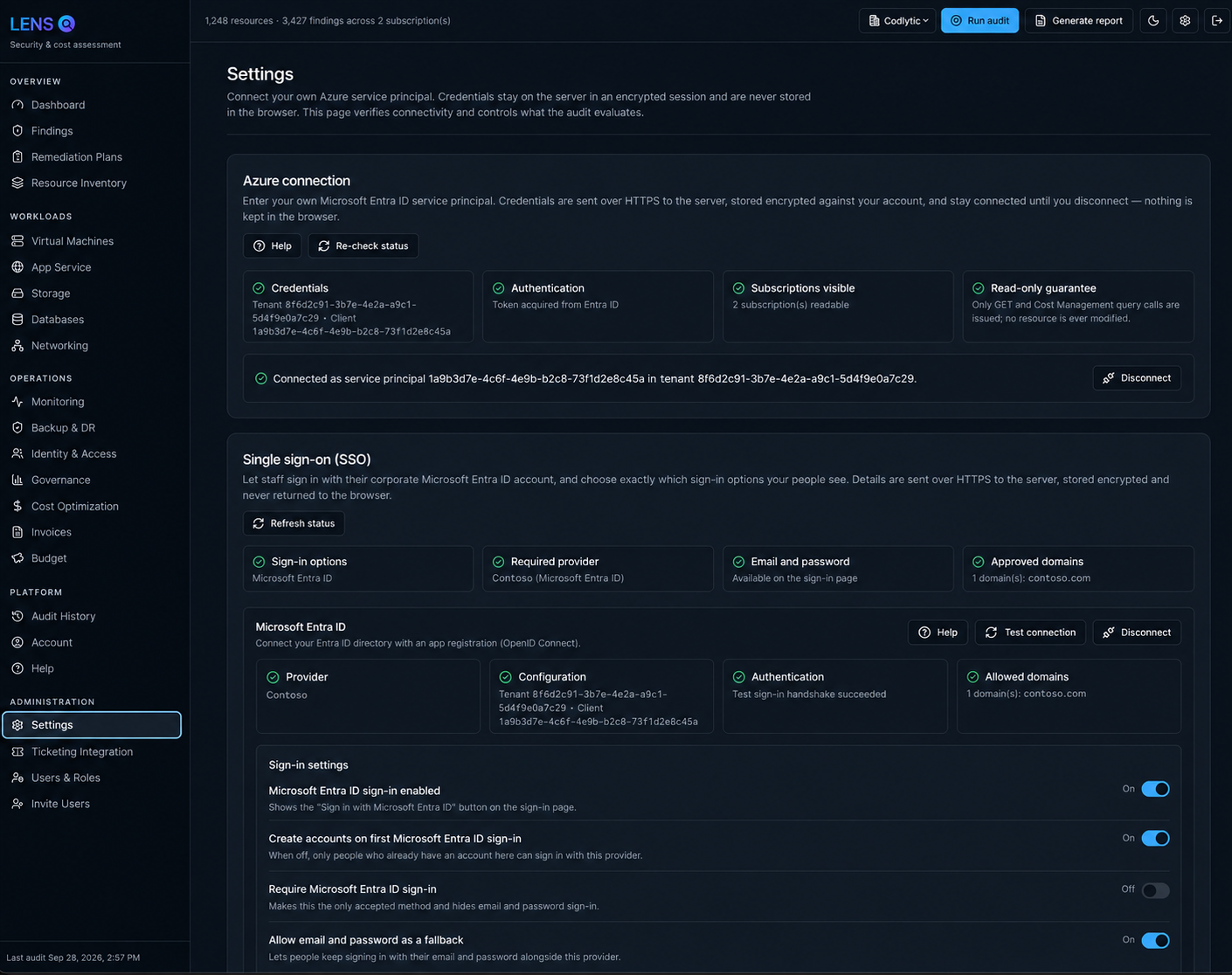
Connect
Authorize LENS to read the Azure subscriptions you want assessed. No agent installation is required.
Audit
LENS discovers resources and evaluates security, governance, reliability, monitoring, backup, and cost controls.
Understand
Review posture scores, severity-ranked findings, exposed resources, cost data, and savings opportunities.
Act
Use prioritized recommendations and reports to remediate risk, reduce waste, and track improvement.
Assess without changing your environment.
LENS is designed for assessment. It reads the Azure configuration and billing signals needed to evaluate posture and cost without deploying agents or making changes to resources.
- No software agents on workloads
- Subscription-scoped assessment
- Clear inventory of evaluated resources
- Repeatable audits for progress tracking
Results built for action.
Prioritized findings
Critical and high-risk issues rise to the top so teams can focus remediation effort where it matters most.
Savings opportunities
Identify waste and rightsizing opportunities with estimated monthly savings tied back to Azure resources.
Stakeholder reports
Generate assessment reports that communicate posture, risk, cost, and recommended next steps.
Instant ticket creation
Create remediation tickets directly from findings and route issues into your connected service desk or work management platform for faster follow-through.
From read-only Azure connection to prioritized findings and remediation.
LENS starts with a defined Azure subscription scope and inventories supported resources before evaluating security, cost, governance, reliability, monitoring, and backup-related checks.
The assessment workflow helps teams move from discovery to prioritization: connect Azure, choose the intended scope, run the audit, review posture and severity, inspect affected resources, follow remediation guidance, and reassess to measure improvement.
Explore assessment features · Follow the Quick Start · See reporting output